Staff and resource planning for appointments
Determine availability from team, room, equipment and location
IYTON combines staff schedules, assigned services, locations and shared resources in one appointment plan.
Staff availability
Consider working hours, special days and absences together
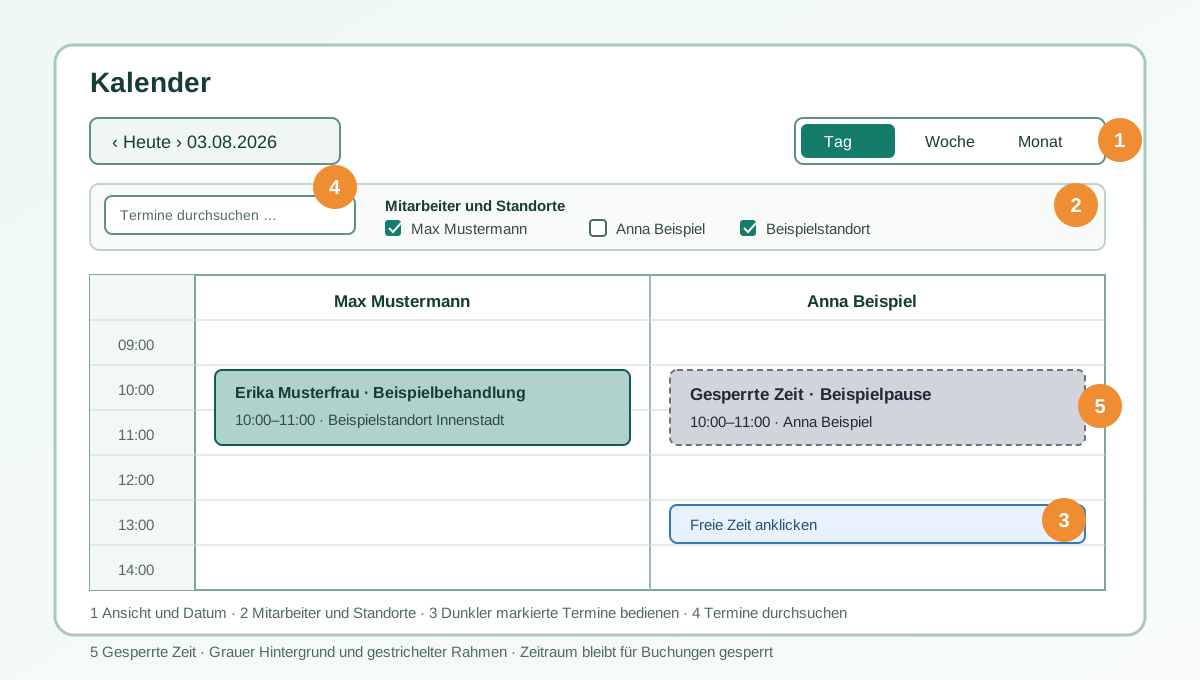
Services, work locations and available times are maintained for each staff member. Leave, special hours, existing appointments and buffers limit bookability.
- Day, week and month calendars for the team
- Service and location assignment per staff member
- Working hours, leave, special days and internal blocks
Shared resources
Prevent double booking of rooms and equipment
Resources can be assigned to a location and reserved for customer or internal appointments. Conflicts are checked before saving, even when different staff members use the same resource.
- Treatment rooms, equipment or other limited resources
- Conflict checks across multiple staff members
- Anonymous occupancy display protects other appointment details
Connected planning
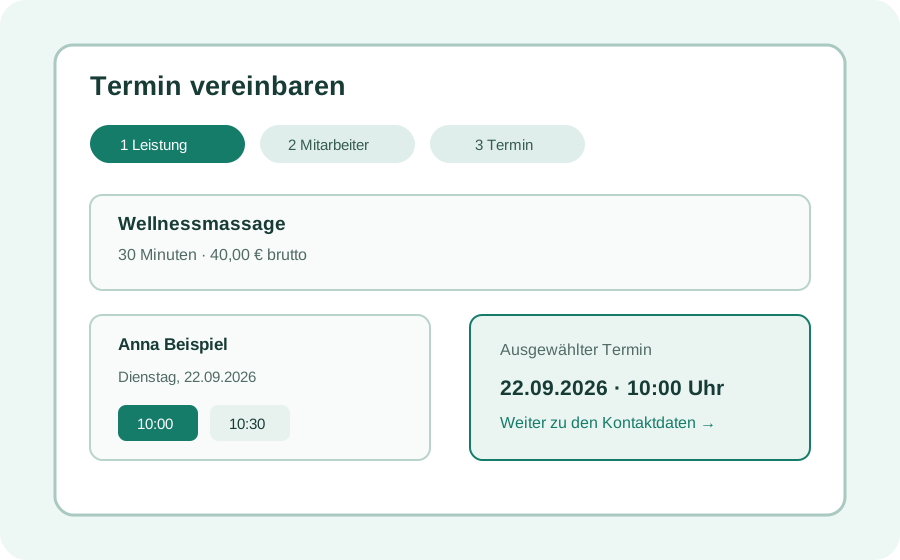
The same availability for manual and online appointments
Calendar and booking page use the same staff, location and resource conflicts, avoiding a separate side schedule.
Manual planning
Create, edit, move and review appointments in the team calendar.
Online availability
Offer only suitable combinations of service, staff, location and resource.
Permissions
Define who may view or manage team calendars, other appointments and resources.
Plan mobile services · Explore practice appointment software
Frequently asked questions
Clarified before setup
What counts as a resource in IYTON?
For example, a treatment room, a device or other limited equipment assigned to a location and reserved for appointments.
Are other appointment details shown when a slot is occupied?
Not automatically. An anonymous occupancy indicator can show the conflict without exposing customer or appointment details of other staff.
Content: IYTON product team Reviewed: IYTON product team Review date: 04.11.2026
Prepare your team and resources for free
Start with FREE and compare team and resource features across plans.
Register for freeFeatures & pricing