Online appointment booking for service providers
Offer available appointments online – matched to team, location and service
IYTON connects your public booking page with calendars, working hours, services, locations and customer management. Customers only see times that can actually be booked for their selection.
Booking workflow
From service selection to an available time
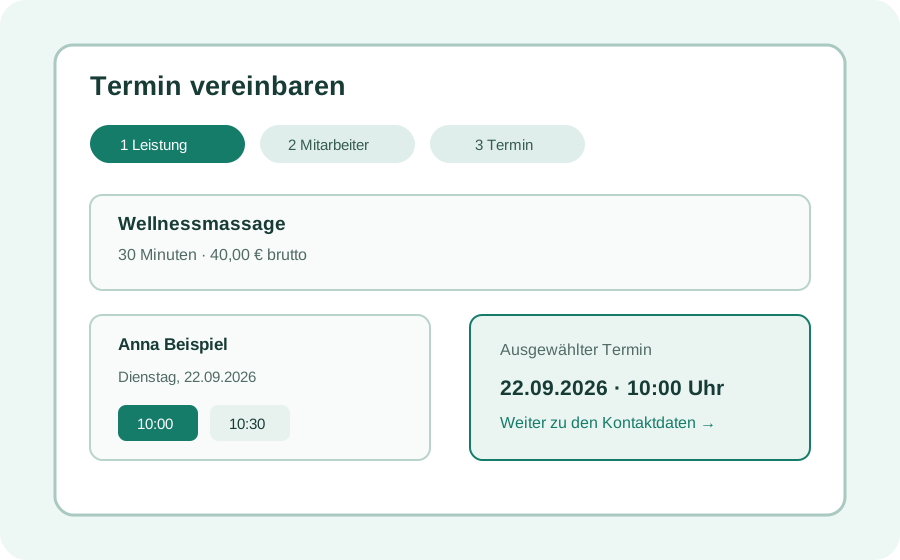
Customers select the relevant details step by step. IYTON checks configured durations, working hours and existing bookings.
- Services with duration, price and bookable options
- Practice, company and mobile service locations
- Staff selection or automatic assignment to available practitioners
- Only suitable available days and times in the selected workflow
After booking
The appointment is part of the shared workflow
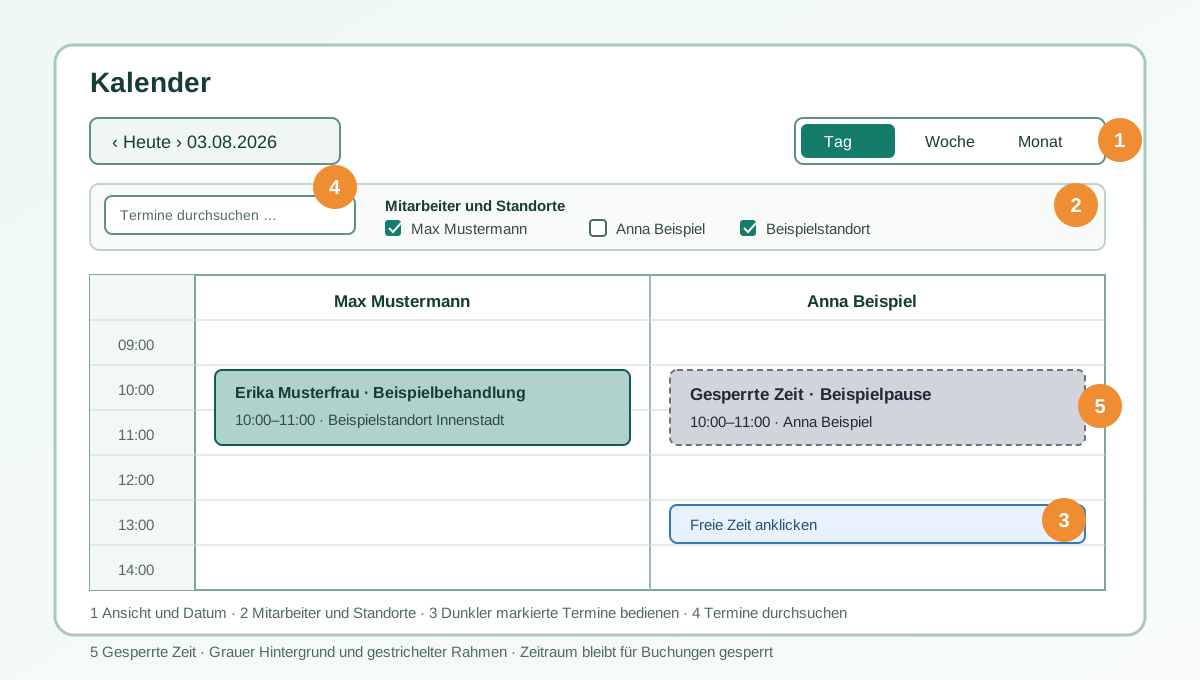
An online booking is not managed as a separate request. It appears in the calendar and uses the same customer, service and location data as manually created appointments.
- Booking confirmations, changes and reminders based on your settings
- Manage appointment and payment status transparently
- Continue customer history without entering data again
- Prepare invoices and billing from recorded appointment data
Use cases
Not limited to appointments at your own location
IYTON also supports workflows where service, staff and location jointly determine availability.
Practices and studios
Combine services, rooms, staff and opening hours in one booking flow.
Mobile service providers
Include customer address, service location and configured travel rules in the booking flow.
Company and workplace health appointments
Manage agreed service days and eligible company employees separately from public booking.
Frequently asked questions
Clarified before setup
Which times can customers book online?
Only combinations matching the service, duration, staff member, location, resource, working hours, absences and existing appointments are offered.
Does every customer need an account?
No. Booking can start without an existing customer account. An online account is required only for enabled self-service functions.
Content: IYTON product team Reviewed: IYTON product team Review date: 04.11.2026
Prepare your own booking page for free
Start with FREE without payment details. Compare plan features and limits transparently in advance.
Register for free Features & pricing